Sony has officially confirmed the parameters of its refund policy for digital PlayStation 5 games, and for many players, the news will be a relief—provided they understand the fine print. The 14-day window is generous, but it comes with a critical condition that trips up thousands of gamers every year: the clock starts ticking the moment you buy, and the eligibility disappears the moment your console begins downloading the title.
The 14-Day Window: What Sony Actually Guarantees
Sony’s official stance is straightforward for full games, downloadable content, and season passes purchased directly through the PlayStation Store. You have exactly 14 days from the date of purchase to request a refund. That part is simple. The complication arises with the second requirement: the content must not have been downloaded or streamed. Not launched. Not played. Downloaded. The mere act of initiating the transfer of data from Sony’s servers to your console is enough to nullify your right to a refund under the “change of mind” clause.
This distinction is crucial because it separates Sony’s policy from those of other digital storefronts. Steam, for example, allows refunds within two weeks and under two hours of playtime, meaning you can download, play, and still request your money back. Sony’s approach is more restrictive. On the PlayStation platform, the download itself is the point of no return. Even if you never press the “Play” button, even if the game sits on your hard drive untouched for months, the fact that it was transferred to your system is enough to end your refund eligibility.
This creates a practical problem for many users. The PS5’s automatic download feature is enabled by default for pre-ordered games and for titles purchased through the mobile app. If you buy a game on your phone while away from home, your console can begin downloading it immediately, silently, without any action on your part. By the time you realize you made a mistake—or that you accidentally bought the wrong edition—the download may already be complete, and your refund window is gone.
How the Refund Process Actually Works on PS5
Many players assume that refunds can be initiated directly from the console’s settings menu. That is incorrect. Sony has deliberately routed the process through the PlayStation website, specifically through your account’s Transaction History. This is not an oversight; it adds a layer of friction that reduces the number of impulse refunds, but it also means that users who follow the correct path will find the process relatively painless.
The steps are as follows. Log into your PlayStation account on the web, navigate to the Transaction History section, and locate the purchase in question. If the item is eligible, a “Request Refund” option will appear. Click it, follow the on-screen instructions, and submit. Sony’s online assistant will guide you through the eligibility check and initiate the procedure. If the automatic system does not resolve the issue—or if the refund option does not appear because of a technical glitch—your next step is to contact PlayStation Support directly.
The console itself plays a passive role in this process. The PS5 is where the purchase happens, but it is not where the refund is processed. This is a point of confusion for many users, who waste time searching through the console’s settings for a refund option that simply does not exist there. The intended path is web-based, and Sony’s support documentation is clear on this point.
The Download Rule: Why It Exists and What It Means
Understanding why Sony enforces the download restriction requires a brief look at the economics of digital distribution. Once a game is downloaded, Sony has no reliable technical means of ensuring that the player has not already experienced the content. Unlike a physical disc, which can be inspected and resold, a downloaded game is a permanent copy on the user’s hard drive. Even if Sony deletes the license from the account, the player could potentially play the game offline indefinitely on a primary console.
That is the technical reality. The policy is therefore designed as a compromise: Sony extends a refund window to comply with consumer protection expectations, but it closes that window the moment the content leaves its servers. This is why the rule applies equally to streaming. On PlayStation, cloud streaming of purchased games is a relatively rare activity, but the policy explicitly covers it—if you stream a game without downloading it, the act of streaming also counts as “consuming” the content.
This creates an unusual scenario for players who purchase a game but do not have immediate access to their console. If you buy a title on the PlayStation mobile app while on vacation, and your PS5 at home begins the download automatically, you have lost your refund rights before you even arrive home. The policy does not account for intent or circumstance. It only cares about data transfer.
Pre-Orders and Pre-Loading: The Hidden Trap
Pre-orders deserve special attention because their refund windows operate on a different timeline. If you pre-order a game more than 14 days before its release date, you can cancel at any point before launch, provided the main content has not been downloaded or pre-loaded. This sounds generous, but the pre-load feature on PS5 is enabled by default for many titles. Once the console begins pulling the game files ahead of release, your cancellation rights vanish.
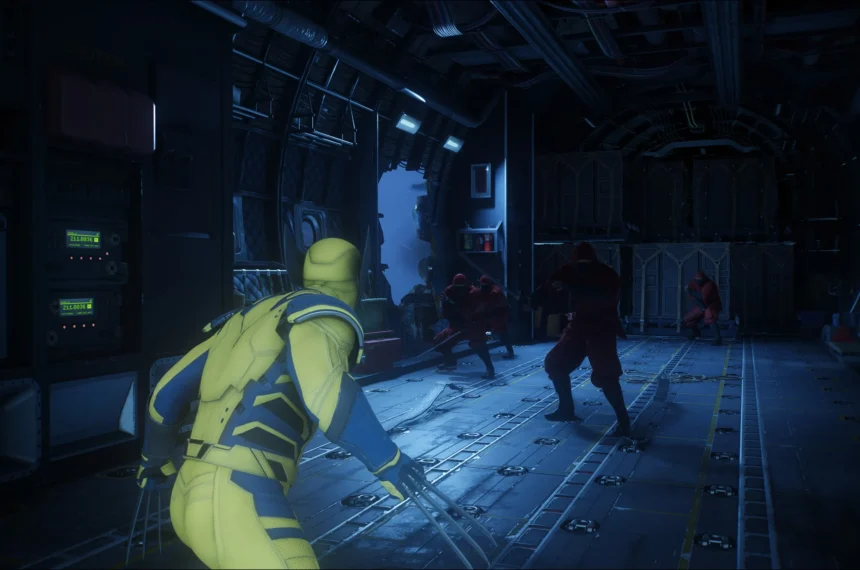
This is precisely the situation that led to public complaints about the recently announced Wolverine game, which we covered in a previous edition. Players who pre-ordered the title and later reconsidered found that their automatic pre-load had eliminated their refund eligibility. The lesson is simple: if you are second-guessing a pre-order, disable automatic downloads in your PS5 system settings before the pre-load period begins. Otherwise, the console will make the decision for you.
If the pre-order was placed within 14 days of release, the calculation shifts. In that case, Sony allows the refund request up to 14 days after the purchase date, but again only if the content has not been downloaded or pre-loaded. Since pre-load typically begins a few days before release, this creates a narrow but workable window for most players.
Consumables and In-Game Currency: Different Rules Entirely
It is important to distinguish between full games and consumable items. Virtual currency, in-game bonuses, loot boxes, and other content that is delivered instantly upon purchase do not follow the 14-day download rule. The policy treats these items as fully consumed at the moment of delivery. If you buy 1,000 V-Bucks in Fortnite and immediately regret it, that purchase is final. The items were delivered; the transaction is complete.
The only exception is a technical one. If you purchase a consumable item from the PlayStation Store outside of a game, and the item has not yet been delivered because the game has not been launched, you may have a case for cancellation within the 14-day window. But this scenario is rare in practice. Most consumables are purchased from within the game itself, and the delivery is instantaneous.
“I accidentally bought the wrong currency pack” is not a valid complaint in Sony’s eyes. The purchase was confirmed, the currency was added to your account, and the transaction is irreversible barring a documented defect in the product itself.
PS Plus Subscriptions and the Renewal Confusion
PlayStation Plus subscriptions receive different treatment, and this is where many users make expensive mistakes. Sony allows a refund for your first purchase of a PS Plus subscription within 14 days of the initial transaction, even if you have already used the service. However, the refund amount may be prorated—meaning Sony can deduct a portion corresponding to the days you actually used the subscription before requesting the refund.
This is not the same as canceling auto-renewal, and the distinction matters. Disabling automatic renewal stops future charges, but it does nothing to recover money already paid. If you are in the monthly plan, you will be charged again next month unless you cancel. If you are in the annual plan, the refund window is only 14 days from the first purchase—after that, the subscription is yours for the full year, whether you use it or not.
The proration detail is one of the most misunderstood aspects of Sony’s policy. Some users believe that they can subscribe, play for a week, and receive a full refund. That is not how it works. Sony will assess the usage period and deduct accordingly. The refund is proportional, not full.
What Is Not Refundable: The Complete List
Sony’s policy explicitly excludes several categories from refund eligibility. Wallet top-ups—the funds you add to your PSN wallet—are non-refundable. Once the money is in your PlayStation wallet, it stays there. The only way to recover that value is to spend it on content.
Online ID changes are also non-refundable. If you pay to change your PlayStation Network username and then regret the choice, that purchase is final, unless the ID change itself was the result of a system error.
Voucher codes purchased from third-party retailers fall entirely outside Sony’s jurisdiction. If you buy a $50 PlayStation gift card from a supermarket or a digital code from an online reseller, Sony will not process a refund. Your recourse is with the retailer where you made the purchase, not with PlayStation support. This is a common source of frustration for players who assume Sony handles all store-related issues.
Finally, any content that has already been downloaded or streamed is automatically disqualified. There are no exceptions to this rule in Sony’s standard refund policy, though the company does acknowledge that defective content may be subject to additional rights under local consumer protection laws.
The Defect Exception: When the Rules Change
Sony’s policy includes a narrow but important escape hatch: defective content. If a game is legitimately broken—if it crashes upon launch, fails to install, or experiences widespread server failures that render it unplayable—the consumer may have rights beyond the standard 14-day window. These rights are not created by Sony; they are derived from the consumer protection legislation of the buyer’s jurisdiction.
In the European Union, for example, digital content is covered by the Consumer Rights Directive, which grants buyers a legal guarantee period for digital goods. In Brazil, the CDC (Consumer Protection Code) similarly provides broader protections for defective products, including digital ones. Sony explicitly states in its policy that the standard refund rules do not diminish any additional rights provided by applicable law.
This means that if a game is genuinely defective, and the publisher has not fixed it within a reasonable timeframe, players in protected jurisdictions may be entitled to a refund even if they have downloaded and played the title extensively. The practical challenge is proving the defect to Sony’s satisfaction. A game that crashes occasionally is not defective; a game that crashes consistently, on a wide range of hardware, and has not been patched after a significant period is a different story.
In practice, Sony handles defect claims on a case-by-case basis. There is no automated process for this category. You will need to contact PlayStation Support directly, provide a detailed description of the technical problem, and be prepared to wait. The outcome is not guaranteed, but the policy explicitly acknowledges that these cases exist.
Practical Advice: What to Do Before You Request a Refund
Before initiating a refund request, ask yourself two questions. First, has it been more than 14 days since the purchase date? If yes, your refund window is closed for standard change-of-mind requests. Second, has the content been downloaded or streamed? If yes, and the game is not defective, you are likely out of luck.
If both answers are in your favor, the process is straightforward: log into your account on the web, open Transaction History, find the purchase, and click “Request Refund.” Follow the instructions. If the option is not available, contact PlayStation Support directly through the official contact page.
One more piece of advice for the future: disable automatic downloads in your PS5 settings. This prevents the console from silently downloading purchased titles while you are away. It also prevents pre-loaded games from eliminating your pre-order cancellation rights. The setting is under System > Automatic Downloads, and turning it off costs you nothing. It takes five seconds and can save you from losing a refund you might otherwise deserve.
Sony’s refund policy is not designed to be consumer-hostile, but it is also not designed to be generous. It is a middle ground—a formal acknowledgment that digital purchases deserve some protection, paired with a technical reality that once the content reaches your hardware, the sale is final. The 14-day window is real, but it is also fragile. Do not let a few minutes of tolerance turn into a permanent loss of your money.