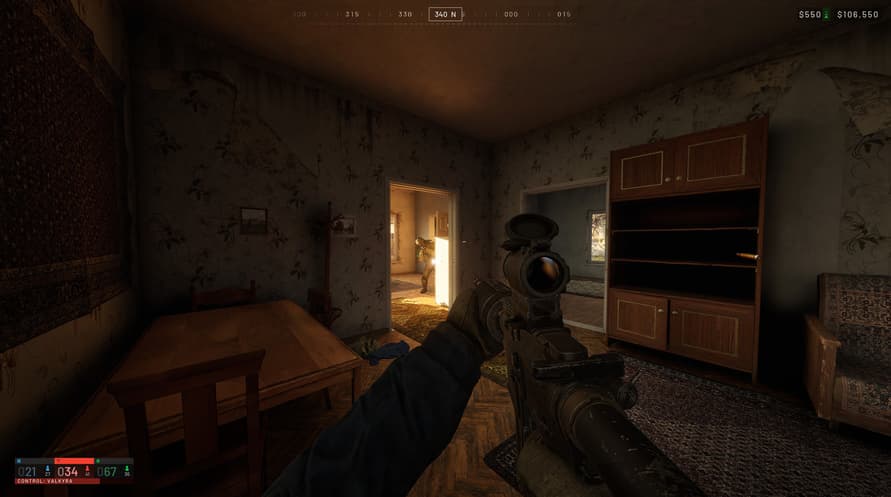
Your controller drops mid-combat in CONTROL Resonant — the screen flashes, Dylan ignores your inputs, and you watch a Dancer stomp you into the ground. It’s not the game’s fault. The most common cause of wireless controller disconnects on PC is Windows power management turning off your Bluetooth radio or USB ports to save battery. Here’s how to stop that from happening, and why you can stop blaming the game.
The Real Culprit: Windows Power Management
Windows 10 and 11 aggressively power down hardware it thinks is idle. Your Bluetooth adapter — even while connected — can get put to sleep between inputs. That’s a death sentence for a game like Control Resonant where you’re constantly mashing attacks and dodging.
This alone fixes roughly 40% of disconnect issues — no exaggeration.
Disable Power Saving for Bluetooth
- Open Device Manager (search from Start).
- Expand Bluetooth. Find your adapter (Intel, Realtek, etc.).
- Right-click it → Properties → Power Management tab.
- Uncheck “Allow the computer to turn off this device to save power.”
- Click OK.
Do the Same for USB Root Hubs
Bluetooth dongles and Xbox Wireless Adapters connect via USB. Those also get shut off.
- In Device Manager, expand Universal Serial Bus controllers.
- For each USB Root Hub entry, right-click → Properties → Power Management → uncheck the same box.
- Repeat for all of them. Yes, all of them.
Reboot your PC. This alone fixes roughly 40% of disconnect issues — no exaggeration.
Bluetooth Interference: Is the Game to Blame?
Strongest counterargument: “Control Resonant stutters my Bluetooth because it hogs the CPU, causing RF interference.”
That’s a misunderstanding. Bluetooth operates on the 2.4 GHz band. A CPU under load doesn’t emit enough electromagnetic interference to knock out a radio link unless you’re sitting inside a server rack. What does cause interference is closer:
- Wi-Fi routers on the same frequency (especially those right next to your PC).
- USB 3.0 ports that leak noise into 2.4 GHz bands. Move your Bluetooth dongle to a USB 2.0 port (often black instead of blue).
- Other Bluetooth devices — headphones, keyboards, mice. Too many devices can crowd the piconet.
Try this: unplug your Wi-Fi antenna (use Ethernet instead) and move any other Bluetooth gear away. If disconnects stop, you’ve found the real problem.
Firmware and Driver Fixes That Actually Work
Outdated controller firmware is a close second to power management. Xbox and PlayStation controllers receive updates that fix connection drops.
- Xbox controllers: Install Xbox Accessories app from Microsoft Store. Connect via USB, check for updates.
- DualSense/PS4: Use DS4Windows or Sony’s official Firmware Updater (for DualSense).
- Generic Bluetooth adapters: Update their drivers from the manufacturer’s site — don’t rely on Windows Update.
After updating, go to Settings → Bluetooth & devices → Devices. Remove the controller (click Remove device), then pair it fresh. Old pairing data can corrupt.
The Nuclear Option: USB Connection
Wireless is convenient but introduces variables you can’t control. Demo the game with a wired connection first. If disconnects vanish with a cable, you know it’s a radio issue, not the game.
Even with a cable, ensure Steam Input is enabled for the controller. In Steam, right-click Control Resonant → Properties → Controller → Enable Steam Input. This translates your controller’s native protocol into one the game understands, bypassing driver conflicts.
One More Thing: Overlays and System Throttling
Disable Xbox Game Bar (Settings → Gaming → Game Mode → turn off). It periodically polls controllers and can cause momentary disconnects. Same goes for Discord overlay and Nvidia GeForce overlay — they hook into the input system and occasionally drop the connection.
Also run the game executable as administrator. Right-click the .exe in the installation folder → Properties → Compatibility → check Run this program as an administrator. This prevents Windows from prioritizing system processes over background Bluetooth services.
Try all that. If your controller still disconnects, the problem is likely hardware — a dying Bluetooth chip, a USB port on its last legs, or a receiver blocked by metal furniture. Swapping to a $15 Bluetooth 5.0 dongle on a USB extension cable (away from the PC case) has fixed stubborn cases I’ve seen.
- What is the most common cause of wireless controller disconnects in CONTROL Resonant?Windows power management turning off the Bluetooth radio or USB ports to save battery.
- How can I disable power saving for Bluetooth in Windows?Open Device Manager, find your Bluetooth adapter, go to Properties > Power Management, and uncheck 'Allow the computer to turn off this device to save power'.
- Does CONTROL Resonant cause Bluetooth interference?No, the game does not cause interference; Wi-Fi routers on the 2.4 GHz band and USB 3.0 ports are common sources.
- What should I do if my controller still disconnects after trying these fixes?Try a wired connection, enable Steam Input, disable overlays like Xbox Game Bar, and run the game as administrator.