The patch notes for Crimson Desert version 1.18.00 are deceptively short. One line reads: “Improved the stable so that horse gear can now be equipped there.” That’s it. Thirteen words. For a feature that, on the surface, sounds like a minor quality-of-life fix. But if you’ve been playing since launch, you know better. Stables have been a black box for gear management. You could change your horse’s tack only through the inventory menu — not at the stable NPC. This patch changes that. Sort of.
The short answer is yes, horse gear can now be equipped at stables, but the implementation is not the full customization overhaul many hoped for. The stable interface now lets you view and equip gear that you already own, but it does not yet allow you to purchase, swap saddles on the fly, or preview stats. It’s a step forward, but a cautious one. The developer video shows the player trying to use the new feature: “I don’t think it’s working right now.” The option exists, but it’s incomplete. For experienced players, the real value lies not in the stable change itself, but in what it signals about the game’s broader design philosophy.
The Stable Horse Gear Change: What It Actually Does
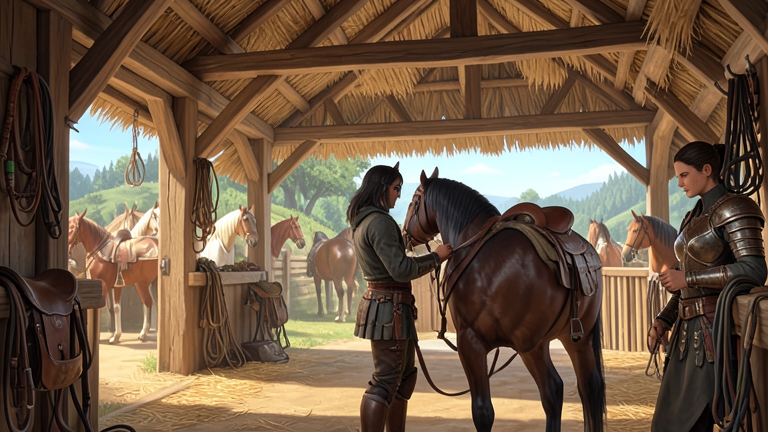
Before 1.18, equipping a new saddle, stirrups, or horse armor meant opening your inventory, locating the item, and applying it manually. The stable NPC offered only services like healing, renaming, and boarding. The patch adds a “Manage” option to the stable dialogue. Clicking it brings up a screen that shows your horse’s currently equipped gear. You can select a slot and replace it with another item from your inventory.
But here’s the catch. The video shows the player clicking through the stable menu, then saying: “Maybe I’m doing something wrong, but I don’t think it’s working.” The UI appears to register the gear, but the actual visual change on the horse model doesn’t always update. That’s a classic sign of a partial implementation. The backend logic for equipping is there; the frontend refresh is not. For a game that prides itself on visual fidelity, this is a notable oversight.
What does this mean for an experienced player? You can now save two clicks by using the stable instead of the inventory. That’s it. The feature is not a replacement for a dedicated horse gear tab. It’s a convenience improvement, not a system overhaul. If you were hoping to dress your horse from a stable in a different region without carrying the gear, you’re out of luck. You still need the items in your inventory or mount bag.

Why Experienced Players Should Care About the Camp Funds Change
The real meat of this patch is buried in the content section: “Changed the resource required for research from silvers to camp funds.” That’s a massive economic shift. Previously, players could burn through silver to unlock research nodes. Silver was easy to farm — gold bars sold for thousands, and high-value trade goods could be stacked to 100, netting absurd profits. The patch fixes that exploit (line item: “Fixed an issue where high-value trade goods could be stacked and loaded in quantities of up to 100”). Combined with the research cost change, the economy just got a hard reset.
Camp funds are now the primary currency for knowledge research. That means you can’t just dump silver into unlocking every node. You have to engage with the camp system: build structures, assign workers, and manage resources. The patch also fixes an issue where workers would stop functioning after loading a save file. That’s a direct buff to camp reliability. For players who ignored the camp system as a side activity, this patch forces a re-evaluation. The camp is no longer optional — it’s the engine for progression.
The video’s reaction: “Very cool. Very cool.” That’s the right take. This change ties the economy to the camp loop, which is exactly what the game needed to prevent silver inflation. Expect to see a shift in player behavior: more time spent on camp management, less time grinding gold bars.
Lock-On Camera Rotation: A Triple-Threat Option
The new lock-on camera settings are the most obvious combat improvement in 1.18. Previously, you had two options: enabled (full camera control while locked on) or disabled (camera locked to target). Now you get three: manual, semi-auto, and auto.
Manual is the old “enabled” setting. You can spin the camera freely while locked on. Semi-auto allows rotation within a limited range — useful for tracking a fast-moving enemy without losing orientation. Auto locks the camera entirely, forcing you to rely on the target indicator.
For a PvE player, this is a nice-to-have. For a PvP player, it’s a game-changer. The semi-auto mode is particularly valuable in group fights. You can keep your camera on the primary target while still being able to glance at the surroundings. The video demonstrates the difference: “I can’t turn at all. I’m just stuck looking at this guy.” That’s auto mode. The limitation is intentional — it prevents disorientation during chaotic encounters.
Combined with the fix for “Lock-on to targets with a ranged weapon while riding a mount,” the patch makes mounted combat more viable. Experienced players should test each mode in their preferred combat scenarios. There’s no universal best option; it depends on your playstyle.
Knowledge System Tweaks: More Than Just Polish
The new “Quests” knowledge category is a structural change. It splits quest knowledge into eight sub-categories: Main Quests, Faction Quests, Investigation Quests, Research Quests, Daily Life Quests, Guide, Archive Records, and Constellations. That’s a lot of taxonomy. The retroactive grant means you don’t have to redo completed quests to fill the new entries. But the video shows the player is still missing some entries. So the system is not fully retroactive — only certain quest knowledge entries are granted.
For completionists, this is both a blessing and a curse. You’ll need to check which quests you missed and whether they’re now tracked. The improved animal knowledge (gained by picking up animals instead of killing them) is a direct response to player feedback. No more slaughtering rabbits for lore. That’s a small but appreciated change.
The “Mysterious Invitation” knowledge fix is an edge case, but it’s important for lore hunters. You now have to complete “Read the memory beneath Delesia Castle” before obtaining it. That’s a specific sequence break fix. If you were stuck on that chain, patch 1.18 unblocks you.

Combat and Exploration Fixes: Windows, Mounts, Catfish
Three fixes in this patch address long-standing annoyances. First, climbing through windows. The patch notes say: “Fixed an issue where the player could not climb through windows even when there were no obstacles.” That’s a direct hit to the game’s parkour system. Previously, windows that looked climbable would often block you. Now they should work. But the video adds: “I don’t know how many people know about how annoying windows are, but hopefully they’re less annoying now.” That’s the voice of experience.
Second, special mounts getting stuck on low ledges. This affected unique mounts like the giant wolf or the flying horse. They would often clip into geometry when crossing small obstacles. The fix improves pathfinding. It’s not a perfect solution — the video notes the improvement is “an issue” rather than a full fix — but it’s better.
Third, Sir Catfish repeating the same action. That’s a specific NPC bug. If you encountered Sir Catfish stuck in a loop, it’s now fixed. These are small wins, but they add up to a smoother experience.
The Bell Map Visual Distinction: A Hidden Gem
The video calls this “probably the biggest part of the patch.” The map now shows a visual difference between areas revealed by ringing the bell and areas explored directly. Previously, all discovered areas looked the same. Now you can see which parts of the map you uncovered by walking vs. which you unlocked via the bell mechanic.
This is crucial for completionists. The bell reveals large chunks of the map, but it doesn’t grant you the exploration XP. Now you can identify which areas still need manual traversal. The video shows the player’s excitement: “Oh my god, that is a huge one. That is insane.” That’s an accurate reaction. If you’ve ever tried to 100% the map, you know the frustration of not knowing whether a fogged area was bell-revealed or not. This fix solves that.
Technical Fixes: Low-End GPU Stability and Frame Gen
The patch addresses a specific issue: “rendering would appear corrupted when FSR Frame Generation or XeSS Frame Generation was enabled on certain low-end graphics cards, including GTX 1060.” That’s a direct reference to the GTX 1060, still a common card. The fix also includes camera jitter at low FPS and unstable indoor lighting. For players on older hardware, this patch is a stability upgrade.
But there’s a nuance. The video shows the player testing the new features on a high-end system. The GTX 1060 fix is not something they can demonstrate. That’s fine. The patch notes are clear: low-end cards get better performance with frame gen. If you’re running a 1060 or similar, upgrade to 1.18 before enabling FSR or XeSS.
Localization and Minor Bugs: The Devil in the Details
The patch notes list a dozen minor fixes. Some are generic: “Fixed various localization errors.” Others are specific: “Characters would occasionally enter the broken abyss loop in the Abyss Skyloop Bridge.” That’s a progression blocker. If you fell into that loop, you were stuck. Now you’re not.
The “shield displayed when Preview Only Selected was enabled” fix is a UI bug. It affected dual-wield weapon previews. The “oil canisters could be equipped in the same slot” fix prevents an exploit. The “sound effects of Abyss Gear skills would play even when volume was set to 0” fix is a quality-of-life correction. These are the polish that separates a good patch from a great one.
The Deeper Implications for Experienced Players
This patch is small, but it’s not shallow. The stable gear change is a token improvement. The real value lies in the camp funds shift, the bell map distinction, and the lock-on options. For experienced players, the most important takeaway is this: the game is actively rebalancing its economy and progression systems. The silver-to-camp-funds change is a shot across the bow. Get comfortable with your camp. Ignore it at your own risk.

The high-value trade goods stacking fix closes a loophole. If you were farming that exploit, your income stream just dried up. The camp funds change means you now need to invest in camp infrastructure to unlock research. That’s a long-term play. The bell map fix makes exploration more transparent. The lock-on options give you more control in combat.
But the stable gear change? It’s a placeholder. The video shows the player struggling to make it work. That’s not a bug; it’s a feature still in development. Expect a future patch to flesh it out. Until then, use the inventory menu. It’s faster.