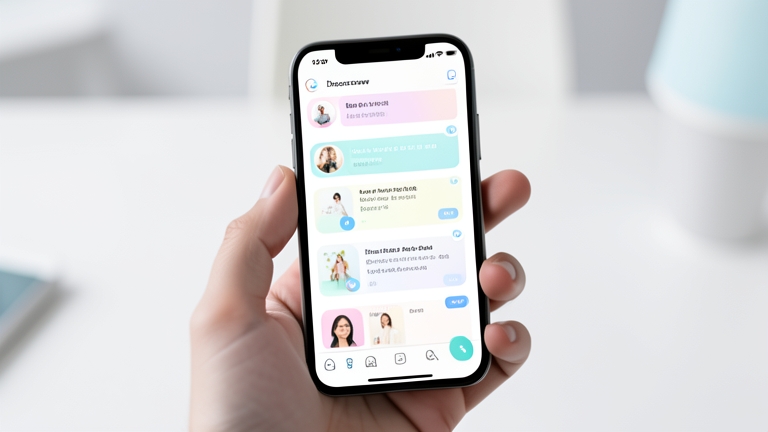
Google is set to transform how users control their Discover feed, introducing an AI-powered chatbot that lets people describe, in natural language, exactly what kind of content they want to see. The feature, rolling out to the Google app on Android and iOS in the coming days, marks a significant departure from the traditional settings menus and toggles that have long defined feed personalization. Instead of manually selecting topics or muting sources, users will soon be able to tell Google’s AI, “Show me more deep-dive tech analysis and less celebrity news,” and the system will adjust the feed accordingly, remembering those preferences for future sessions. This move positions Google Discover as a more intuitive, conversational gateway to news and information, directly competing with similar AI-driven feed customization tools already appearing on platforms like YouTube, Instagram, and X.
How Google Discover’s AI Chatbot Feed Customization Actually Works
The core of this update is a new option buried within the three-dot menu that appears on the Google Discover feed. Tapping this option opens a chatbot-style interface, a departure from the list of checkboxes and sliders users might expect. Within this interface, users can simply type or speak their content preferences. For example, a user might write, “I want to see more updates on space exploration, but less about politics.” The AI processes this request, confirms its understanding, and then lays out the types of content it will now prioritize in the feed.
If the AI’s interpretation is slightly off, users are given the opportunity to refine their request. They can add more specific details, clarify ambiguities, or correct misunderstandings before the changes are applied. Once satisfied, a simple tap on the “Refresh your feed” button triggers the new personalization rules. This iterative process, where the AI confirms and the user corrects, is designed to reduce friction and improve accuracy, making feed curation feel less like programming a machine and more like having a brief conversation with a knowledgeable assistant.
This feature operates on top of Google’s existing understanding of user behavior across its ecosystem. The Discover feed already serves up articles based on search history, app activity, location, and other signals. The new chatbot layer does not replace that underlying data; rather, it provides an explicit, top-down instruction set that the AI must integrate with its implicit understanding of the user. This dual approach—combining learned behavior with direct user commands—is a sophisticated way to handle the inherent tension between algorithmic suggestion and user control.
What Is the Google Discover Feed and Why Does This Change Matter?
Google Discover is the personalized content feed that appears when users open the Google app on mobile devices or swipe right on the home screen of many Android phones. It surfaces a stream of articles, videos, and news stories selected by Google’s algorithms, based on a wide range of signals including search history, browsing behavior, location, and app usage. For millions of users, Discover is the primary way they encounter news and information without actively searching for it.
The challenge with algorithmic feeds has always been the lack of precise, user-directed control. Users can follow topics, mute specific sources, or hide individual stories, but these actions are reactive and granular. They do not easily allow for nuanced preferences like, “I want more investigative journalism but less opinion writing,” or “Show me science news, but only from peer-reviewed journals and not from tabloid science sites.” The new chatbot feature directly addresses this gap by allowing users to express complex, multi-faceted preferences in natural language. This represents a fundamental shift from a feed that passively observes your behavior to one that actively listens to your stated desires.
This change matters because it signals a broader industry trend toward conversational AI as the primary interface for personalization. Social media platforms have already begun experimenting with similar tools. YouTube has introduced prompts for custom AI-generated feeds, Instagram allows users to tell its algorithm what they want to see more or less of, and X (formerly Twitter) has integrated its Grok AI to curate timelines. Google Discover, with its massive user base and deep integration into the Android ecosystem, is now joining this movement, potentially setting a new standard for how news and content feeds are managed.
The Shift from Implicit to Explicit Personalization
Traditionally, feed personalization has been largely implicit. Algorithms observe user behavior—clicks, dwell time, shares, searches—and infer preferences. This approach is powerful but opaque. Users often feel that the algorithm misunderstands them, yet they have few tools to correct it. The AI chatbot flips this model, making personalization an explicit, conscious act. Instead of hoping the algorithm figures out that you’ve lost interest in a topic, you can simply tell it.
This explicit personalization has significant implications for user trust and satisfaction. When a user explicitly requests more content about climate technology and the feed delivers, the cause-and-effect relationship is clear. The user feels in control. Conversely, when an implicit algorithm surfaces content that feels irrelevant or repetitive, it erodes trust. By giving users a direct line of communication with the AI, Google is attempting to build a more transparent and responsive relationship between the platform and its audience.
Beyond the Chatbot: Additional Updates to Google News and Preferred Sources
The AI chatbot feature is the headline, but Google announced other meaningful changes alongside it, indicating a broader push to refine how users consume news and information across its products. One of these updates targets the Google News app on Android with the ability to personalize daily audio briefings. This feature allows users to curate the content of their audio news summaries, choosing which topics and sources are included. For users who prefer listening to news during commutes or workouts, this brings a new level of control to an increasingly popular format.
More strategically significant is the update to Preferred Sources, a feature originally designed to let users signal that they want to see more content from specific publishers. Previously, setting a preferred source required navigating through settings menus. The new update allows publishers to place an interactive “Preferred Sources” button directly on their websites. When a reader clicks this button, their preferred source list is updated instantly, without leaving the article page.
This is a clever move for several reasons. First, it reduces the friction for users who might want to prioritize a particular outlet but find the process cumbersome. Second, it gives publishers a direct tool to encourage reader loyalty and increase their visibility within Google Search and Discover. Third, it integrates the Preferred Sources function into the broader ecosystem of Google’s search results, AI Overviews, and the experimental AI Mode, meaning that a user’s preferred outlets will be weighted more heavily across multiple surfaces, not just the Discover feed.
How Preferred Sources Work Across Search and AI Overviews
The Preferred Sources feature now extends beyond the Discover feed to influence the “top stories” section in Google Search, as well as AI Overviews and AI Mode. For a user who has selected, for example, The Associated Press and Reuters as preferred sources, those outlets will appear more prominently in the news carousel at the top of search results. In AI Overviews, which are AI-generated summaries of search results, the system will prioritize information from preferred sources when constructing its answers.
This integration means that the preferences users set in one part of Google’s ecosystem ripple outward. It creates a consistent, personalized experience that follows the user from passive browsing in Discover to active searching on Google.com. For publishers, this creates a powerful incentive to engage with the Preferred Sources program, as it offers a direct path to increased visibility in some of the most prominent real estate on the web.
How Google Discover’s AI Customization Compares to Competitors
Google is not the first company to introduce AI-powered feed customization. The feature set being rolled out to Discover has clear parallels with tools already available on other major platforms. Understanding these comparisons provides context for why this update is significant and what it might mean for the competitive landscape of content discovery.

- YouTube: YouTube has introduced a feature that allows users to prompt the platform to create custom AI-generated feeds. Users can type a request like “Show me tech reviews from the last month” and the system will assemble a personalized feed of videos. This is functionally very similar to Google Discover’s chatbot, operating on the same principle of natural language command.
- Instagram: Instagram has added controls that let users tell the algorithm what they want to see more or less of. The interface is less conversational than a chatbot, relying more on toggles and sliders, but the intent is the same: giving users a direct way to influence the feed.
- Bluesky: The decentralized social network Bluesky has taken a different approach, allowing users to create and subscribe to custom algorithmic feeds built by the community. This is a more technical, user-driven model that empowers individuals to design their own curation logic.
- X (formerly Twitter): X has integrated its Grok AI to curate timelines and answer questions about trending topics. The AI can be asked to explain why certain stories are trending or to provide summaries, adding an explanatory layer to feed consumption.
Google Discover’s approach is notable for its tight integration with the company’s broader AI infrastructure. The same Gemini models that power AI Overviews and other Google products are likely underpinning the chatbot’s ability to understand complex natural language requests and map them to content preferences. This gives Google an advantage in scale and accuracy, but it also raises questions about the extent to which the AI’s understanding aligns with user intent.
Practical Implications for Users and Publishers
For the average user, this update promises a more satisfying and less frustrating experience with the Discover feed. The ability to directly tell the AI what you want, rather than playing a guessing game with toggles, should reduce the frequency of irrelevant or unwanted content. It also opens the door for more niche interests to be served. A user passionate about, say, the history of typography could potentially create a feed rich in that specific content, something that might be difficult to achieve through standard topic following alone.
However, there are potential downsides. The feature relies on the user having a clear understanding of their own preferences and the ability to articulate them. Not all users will find it intuitive to describe their ideal feed in natural language. Furthermore, there is the risk of the “filter bubble” effect, where users deliberately exclude challenging or diverse viewpoints, leading to a narrower information diet. Google will need to balance user control with its responsibility to provide a balanced and informative feed.
For publishers, this update is a double-edged sword. On the one hand, the Preferred Sources button offers a powerful new tool for building direct relationships with readers and securing prime placement in search and Discover. Publishers who invest in creating a loyal audience and make it easy for users to add them as a preferred source could see a significant boost in traffic. On the other hand, the AI chatbot could also make it easier for users to exclude entire categories of publishers or topics, potentially reducing the discoverability of new or independent outlets that users have not explicitly chosen.
What This Means for the Future of News Discovery
The introduction of conversational AI to feed customization is part of a larger shift toward personalized, on-demand news consumption. The era of the one-size-fits-all homepage is long over. Now, even algorithmic feeds are being reshaped by direct user input. This trend suggests that the future of news discovery will be increasingly fragmented, with each user effectively curating their own media landscape through a series of conversations with AI assistants.
Google’s update also highlights the growing importance of natural language processing in consumer products. The ability for a user to type “Show me more coverage of semiconductor manufacturing in Asia, but only from business-focused publications” and have that instruction understood and executed is a testament to how far AI has come. It also sets a new baseline for user expectations. In the near future, users may come to expect that any app with a content feed will understand them in the same way.
How to Access and Use the New Google Discover Chatbot Feature
When the feature becomes available, users will find it in the Google app on their mobile device. The rollout begins in the coming days, and it may take some time to reach all users globally. To access it, open the Google app and scroll through the Discover feed until you see the three-dot menu icon in the top-right corner of the screen or next to a specific story card. Tapping this menu reveals a list of options, which now includes the new AI personalization tool.
Upon selecting it, a chat interface appears. Users can type their request directly into the text field. The system will process the input and respond with a confirmation message that outlines the changes it will make. This response typically lists the topics or content types that will be prioritized. If the AI has misunderstood, users can type additional instructions to clarify. Once the preferences are correctly set, tapping the “Refresh your feed” button applies the changes. The feed will then reload, showing content aligned with the new instructions.
It is important to note that the chatbot does not permanently overwrite the user’s existing personalization. It adds a layer of explicit instruction on top of the implicit signals the algorithm already uses. Users can revisit the chatbot at any time to adjust, add, or remove preferences. This flexibility ensures that the feed can evolve with changing interests without requiring a complete reset of the personalization model.
Strategic Significance for Google’s AI Ecosystem
This update is more than just a feature enhancement; it is a strategic move that reinforces Google’s commitment to integrating AI into every layer of its product suite. By embedding a conversational AI interface directly into the Discover feed, Google is normalizing the use of natural language as a primary input method for controlling software. This aligns with the broader vision of Google’s Gemini AI, which aims to be a universal assistant capable of understanding and acting on user intent across applications.
The timing is also notable. As competition from AI-native search engines and content aggregators intensifies, Google needs to demonstrate that its existing products can evolve to offer more intuitive, AI-powered experiences. The Discover feed chatbot is a clear signal that Google is not resting on its algorithmic laurels. It is actively rethinking how users interact with content, moving from passive consumption to active curation.
Furthermore, the integration with Preferred Sources and AI Overviews creates a cohesive personalization layer that spans search, discovery, and AI-generated answers. This is a powerful ecosystem play. A user who configures their Discover feed preferences and selects preferred sources is effectively training an AI that will serve them across multiple touchpoints. This deep, cross-product personalization is difficult for competitors to replicate without a similar breadth of services.
The introduction of an AI chatbot for feed customization in Google Discover represents a meaningful evolution in how users can control their digital information environment. By replacing opaque settings menus with a direct, conversational interface, Google is giving people a more powerful and intuitive way to shape what they see. The simultaneous updates to Preferred Sources and audio briefings further expand this control, creating a more personalized and cohesive experience across the Google ecosystem. While the feature carries inherent risks related to filter bubbles and user understanding, its potential to improve user satisfaction and trust is substantial. As this technology rolls out, it will be critical to watch how users adopt it and how Google balances explicit user commands with its algorithmic responsibility to serve a diverse and informative news diet. The conversation between human and machine about what to read has officially begun.